Check That Every Account Is Still Signed In, With a Read-Only Script
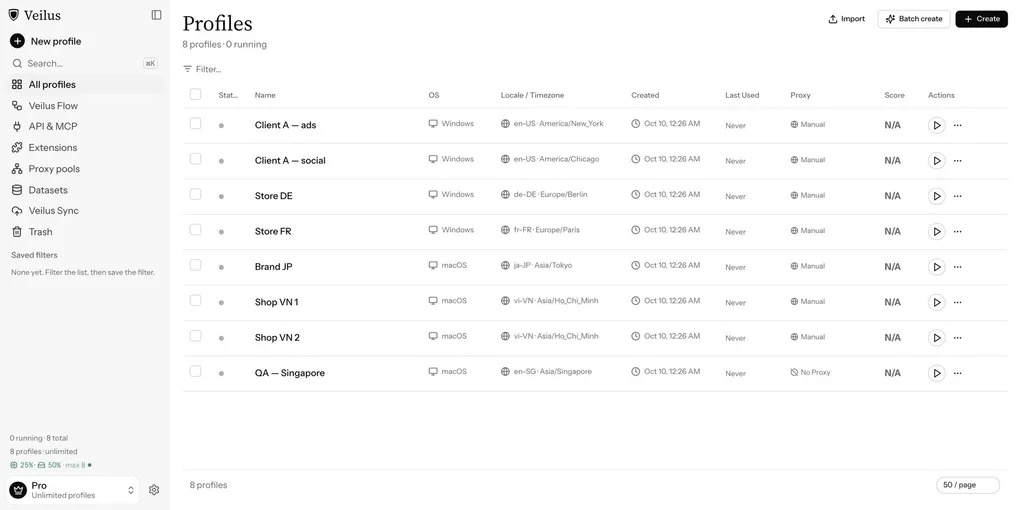
If you manage several accounts, each one in its own profile, you know the moment: you need an account, you open the profile, and the site shows a login page. The session expired, or the site signed you out, and nobody noticed. You find out when you need the account, which is the worst time.
We published a ready-made script for this in the public veilus/sdk repo. It checks that each profile is still signed in and reads a few numbers from the page (followers, notifications, orders). Run it on a schedule and a signed-out account shows up before you need it.
What it does, and what it never does
The session lives inside the Veilus profile, in its cookies, next to its fingerprint and proxy. You sign in once yourself, in the profile’s window. The script then opens a page in that profile and reads it.
It only reads. Specifically:
- It never signs in for you.
- It never sees a password.
- It never posts, likes, follows or sends messages.
- It is meant for your own accounts only.
If the page shows a signed-in element, the status is logged_in and the script reads the numbers you asked for. If not, the status is logged_out.
Try it with no account
The script ships with one built-in entry called demo, which uses httpbin.org so you can see the whole loop without touching a real account.
- In Veilus Flow, open Scripts, paste the contents of
script.tsand approve it. - On a profile, add the profile variable
PLATFORMwith the valuedemo. - Run it. The profile has no session yet, so it prints:
RESULT {"platform":"demo","status":"logged_out","metrics":{}}- Now “sign in”: open the link below in that profile. It sets a cookie that lasts 30 days, like a real sign-in, so it survives the profile restarting.
https://httpbin.org/response-headers?Set-Cookie=veilus_demo_session%3D1%3B+Max-Age%3D2592000%3B+Path%3D%2F- Run the script again. The status changes to
logged_inand asessionmetric appears:
RESULT {"platform":"demo","status":"logged_in","metrics":{"session":{"value":1,"raw":"{\n \"cookies\": {\n \"veilus_demo_sessio"}}}https://httpbin.org/cookies/delete?veilus_demo_session signs the demo out again. Both lines above come from runs on a real Veilus profile on 28 October 2026.
value is the first number in the element’s text. raw keeps up to 40 characters of the text as it was, so a value like 1.2K stays readable.
Use it on your own accounts
- Sign in to your account in the profile’s window, once.
- Set the profile variable
PLATFORMto a key ofPLATFORMSinscript.ts. SetURLtoo if the page you want differs from the default, for example your store’s admin or your own profile page. - Approve the script and put it on a schedule across all your profiles.
To get told when an account is signed out, add a profile variable WEBHOOK_URL with a webhook address that accepts JSON. The body carries a text field, which Slack reads, and a content field, which Discord reads. We have not tested it against a real Slack or Discord webhook, so this describes what the script sends.
Exit codes make scheduled runs easy to read. Exit 0 means the page was read, signed in or not, and any alert was delivered. Exit 1 means the page did not load, PLATFORM is wrong, a signed-in page did not show a metric, or the webhook did not accept the alert.
Add a platform
Only demo ships today. We have not published measured entries for real platforms, so we are not going to name any as supported.
To add one, you have two options:
- By hand. Measure the selectors yourself: the page to read, a selector that exists only when you are signed in, and one selector per number. Add them as a new entry in
PLATFORMS. - With Claude. The repo includes
prompt.md. With Claude Code and the Veilus plugin over MCP, Claude can do the measuring and write the entry for you.
Sites change their pages. When a selector stops matching, the run exits 1 with metric … not found, and you update that entry. Selectors for real platforms are not exercised in our CI, because CI does not hold real accounts.
Terms of service
Read each platform’s Terms of Service before you automate anything on it, even read-only. This script reads your own account only. How you use Veilus is your responsibility.
Links
- Script, prompt and README: github.com/veilus/sdk/tree/main/solutions/account-health
- Step-by-step recipe in the docs: docs.veilus.io/recipes/account-health